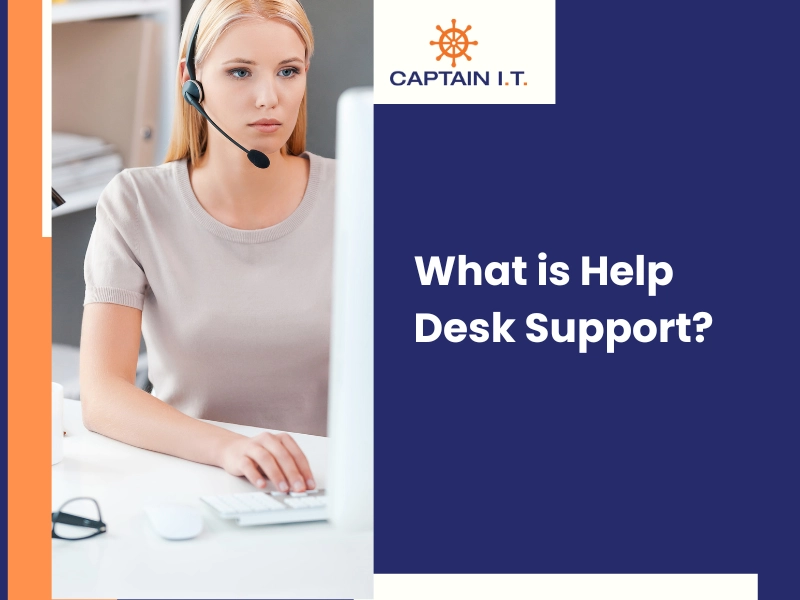
Help desk support combines technical problem resolution, structured communication, and service accountability to keep users productive and systems operational. This ‘Help Desk 101’ guide explains how help desk technicians handle technical issues by gathering accurate information, communicating instructions clearly, and resolving support requests efficiently while maintaining service consistency.
Created for beginners and entry-level technicians, this article outlines practical communication techniques, customer service fundamentals, and time management practices used in real support environments. By understanding how these skills work together, readers gain a solid foundation for delivering reliable technical assistance, reducing repeat issues, and building trust through effective help desk support.
Effective Communication in Technical Support: Tips for Help Desk Technicians

Effective communication enables a help desk technician to translate user-reported issues into actionable technical data, reduce diagnostic errors, and deliver consistent ticket resolutions that users can verify and trust. Clear communication connects user input, support tools, and troubleshooting procedures, allowing technical support teams to resolve incidents efficiently while maintaining service reliability and user confidence.
- Listen Actively
Active listening allows a help desk technician to gather accurate issue details before starting diagnosis or resolution. When a user reaches out with an issue, it is crucial to listen attentively to fully understand the problem. Avoid interrupting and ask clarifying questions if needed. By demonstrating that you are actively engaged and attentive, you will build trust and rapport with the user. This approach reduces the likelihood of incorrect assumptions, improves diagnostic accuracy, and helps resolve support tickets more efficiently.
- Use Clear and Simple Language
Help desk technicians should use clear and simple language when explaining solutions or troubleshooting steps to users. Instructions should avoid technical jargon, acronyms, or internal terms unless the user confirms familiarity with them, and explanations should be adjusted to the user’s technical comfort level. Clear language helps users follow steps accurately, reduces misunderstandings during troubleshooting, and increases the likelihood that issues are resolved without repeat support requests.
- Practice Empathy
Empathy in help desk support refers to a technician’s ability to recognize and respond to a user’s frustration or concern during a technical issue. By acknowledging the impact of system problems on the user’s work and reassuring them that the issue is being addressed, the technician establishes trust and cooperation. Empathetic communication reduces tension, supports smoother troubleshooting interactions, and contributes to a more positive and effective support experience.
- Confirm Understanding
Before moving forward with troubleshooting or providing a solution, a help desk technician should confirm that the user understands the information already shared. This step involves checking comprehension, encouraging questions, and clarifying instructions to ensure the user can perform each action correctly. Taking time to confirm understanding reduces errors during execution, prevents incomplete fixes, and increases the likelihood that the issue is resolved correctly without additional support follow-ups.
- Be Patient and Calm
Help desk technicians should remain patient and calm when assisting users who are experiencing technical issues that disrupt their work. Rushing instructions or expressing frustration can increase tension and reduce the user’s ability to follow troubleshooting steps accurately. A calm, professional approach enables the technician to address each concern methodically, maintain clear communication, and guide the interaction with the user toward an effective resolution.
Customer Service Essentials for Help Desk Technicians
Customer service in help desk support relies on professionalism, empathy, accountability, and response efficiency to manage user expectations, reduce frustration, and maintain trust throughout the support process. These service attributes shape how users perceive technical assistance and determine whether support interactions feel reliable, responsive, and effective across repeated service requests.
Cultivate Empathy
Empathy is the ability to understand and respond appropriately to another person’s emotional state during a support interaction. For help desk technicians, cultivating empathy supports rapport building and trust by acknowledging how technical issues affect user productivity, deadlines, and daily tasks. When users encounter system errors, access disruptions, or application failures, they may feel frustrated or anxious. By recognizing these emotions and responding with understanding, technicians create a supportive environment that reassures users that their concerns are understood, taken seriously, and actively addressed.
Practice Active Listening
Active listening requires a help desk technician to focus on the user’s explanation, understand the issue being reported, and respond thoughtfully. Technicians listen attentively, ask clarifying questions when needed, and avoid interruptions. This approach improves communication, reduces misunderstandings, and supports a more effective support experience.
- Communicate Clearly and Effectively
Clear and effective communication allows help desk technicians to deliver instructions that users can understand and act on correctly. Technicians should adjust their language to users’ familiarity, avoid unnecessary technical terms, and structure guidance clearly across phone, email, and in-person interactions. Clear communication reduces misinterpretation, improves task execution, and supports faster issue resolution.
- Remain Patient and Calm
A calm and patient response from the help desk technician stabilizes support interactions during technical disruptions. A composed approach helps users stay focused, improves cooperation during troubleshooting, and prevents escalation caused by rushed or frustrated responses. Professional composure supports clearer communication and a more controlled resolution process.
- Take Ownership of Issues
A help desk technician takes ownership of a support request by remaining accountable from the initial report through confirmed resolution. This responsibility includes timely responses, structured investigation, and consistent follow-through on promised actions. Issue ownership strengthens user trust, reduces unresolved tickets, and supports reliable service delivery.
Time Management Tips for Help Desk Technicians: Balancing Efficiency and Quality
For help desk technicians, time management is a core operational skill that balances response speed, diagnostic accuracy, and service consistency while managing multiple support requests. With continuous user inquiries, active tickets, and administrative tasks, technicians rely on structured time management to deliver timely resolutions while maintaining accuracy.
- Prioritize Tasks: Identify and prioritize tasks based on urgency, system impact, and user dependency. Address critical issues such as service outages or access failures before less pressing requests. This approach ensures high-priority incidents are resolved quickly while minimizing delays for users.
- Set Realistic Goals: Establish realistic goals and deadlines that align with ticket complexity and workload capacity. Break larger issues into manageable tasks such as diagnosis, resolution, and verification, and allocate time accordingly. Achievable goals help maintain focus and prevent overload during high ticket volume.
- Utilize Time-Blocking: Allocate specific time blocks for key support activities such as responding to emails, handling calls, updating tickets, and troubleshooting issues. Consistent use of time blocks improves concentration and reduces workflow interruptions. This structure supports steady productivity throughout the workday.
- Limit Multitasking: Although multitasking may appear efficient, it often reduces accuracy during troubleshooting. Focusing on one task at a time improves attention to detail, minimizes errors, and supports more effective problem resolution.
By implementing these time management tips, help desk technicians can strike a balance between efficiency and quality in their support endeavors.
Conclusion
Effective help desk support is built on the combined application of clear communication, consistent customer service, and disciplined time management. These capabilities allow technicians to identify issues accurately, guide users confidently, and resolve requests without unnecessary delays. When applied together, these practices reduce repeat incidents, strengthen user trust, and support reliable service delivery. By integrating these skills into daily workflows, help desk support can improve resolution rates while maintaining a positive, dependable experience for users.
At Captain I.T in Riverside, California, USA, we understand the crucial role of proficient technical support in ensuring smooth business operations. With “Help Desk 101: A Beginner’s Guide to Providing Technical Support,” we aim to equip beginners with fundamental skills essential for effective assistance in resolving technical issues. Through our comprehensive guide, we emphasize the importance of clear communication, troubleshooting methodologies, and customer-centric approaches. By empowering individuals with these skills, we strive to foster confidence and competence in delivering exceptional support services, thereby contributing to enhanced productivity and customer satisfaction. For further inquiries, please contact us at 951-335-4650.