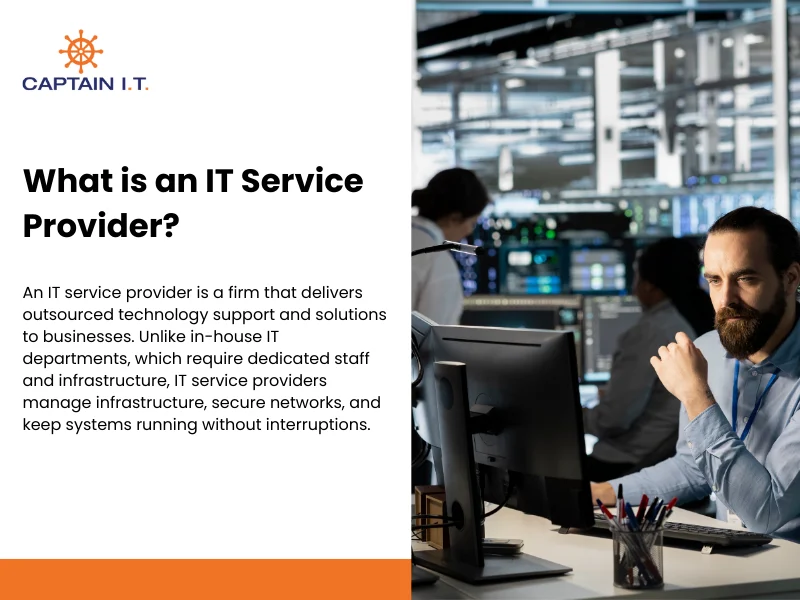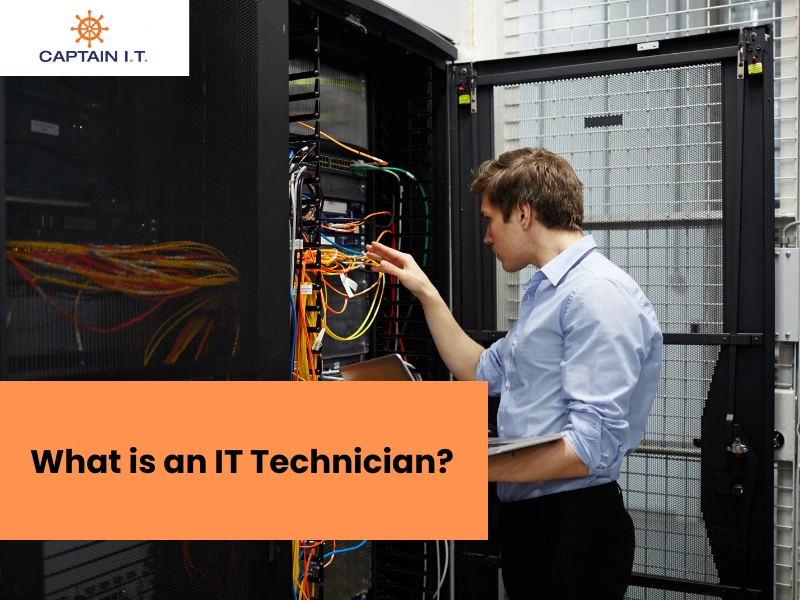
An IT Technician is a skilled professional responsible for installing, maintaining, and troubleshooting computer systems, hardware, software, and networks to ensure everything runs smoothly. They address technical issues, provide user support, and maintain network security, playing a key role in keeping business operations uninterrupted.
To become an IT Technician, individuals typically need a mix of education, hands-on experience, and certifications. A degree in information technology is common, but some roles only require certifications like CompTIA A+ or Cisco CCNA. Gaining practical experience through internships or entry-level positions is essential for developing the necessary skills. As they advance, IT Technicians can specialize in areas like network support, systems administration, or cybersecurity.
There are various career paths for IT Technicians, from help desk support roles to leadership positions. Entry-level technicians may start in roles such as Help Desk Technician or Network Support Technician. With experience, they may progress to higher positions, such as Systems Administrator, IT Manager, or even Chief Information Officer (CIO). As demand for specialized skills grows, certifications and expertise in fields such as cloud computing and cybersecurity can lead to higher salaries and more advanced career opportunities.
What Does an IT Technician Do?
An IT Technician installs, configures, troubleshoots, and maintains computer systems, hardware, software, and networks to ensure smooth and secure operation. They resolve technical issues, provide user support, ensure system security, and manage IT infrastructure to keep everything running efficiently.
An IT Technician typically does the following activities:
- Install and configure hardware and software:
IT Technicians install and configure hardware, such as computers, printers, and servers, and ensure that software systems are properly configured to meet organizational needs. This process involves selecting appropriate hardware and software, configuring devices, and ensuring systems are optimized for performance and security. - Troubleshoot and resolve technical issues:
A core function of an IT Technician is diagnosing and solving technical problems such as hardware failures, network issues, software bugs, and system crashes. Technicians use their problem-solving skills to identify the root cause of an issue and apply solutions swiftly to minimize downtime. - Provide technical support to users:
An IT technician provides technical support and guidance to users, helping them resolve issues with their devices, software, or systems. This involves answering questions, troubleshooting, and educating users on best practices for system maintenance. - Ensure system security and network integrity:
Organizations rely on IT technicians to protect systems from cyber threats through firewalls, antivirus software, and security patches. This helps prevent data breaches and other security risks that could impact the organization’s network. - Manage user accounts and permissions:
To manage user access effectively, IT technicians create new user accounts, manage permissions, and ensure the right people have access to the appropriate resources. This helps maintain data security by preventing unauthorized access while ensuring all users have the necessary tools to complete their duties. - Maintain and upgrade IT systems and infrastructure:
Apart from responding to issues as they arise, IT Technicians also take a proactive approach by performing regular maintenance and upgrades to keep all technology up to date. This includes maintaining hardware, applying software updates, and ensuring systems remain compatible with new technologies as they are introduced.
How to Become an IT Technician?
To become an IT Technician, you must complete high school, pursue IT education, obtain necessary certifications, gain hands-on experience, and develop key IT skills. You must also stay updated on new technologies to remain relevant to industry trends. Following these steps ensures you have the technical knowledge, practical skills, and industry-recognized credentials necessary to manage and support IT systems effectively.

6 steps to become an IT Technician are:
- Complete a High School Education:
The first step toward becoming an IT Technician is completing high school with a focus on computer studies, mathematics, and science. These subjects provide a foundational understanding of the concepts you will encounter in the IT field. - Pursue Relevant IT Education:
For a deeper understanding of core IT technician responsibilities, pursue an Associate’s or Bachelor’s degree in Computer Science or IT. However, certifications are often enough for entry-level roles and can be a faster path into the field. - Obtain Certifications:
Start with CompTIA A+, the industry-standard entry-level certification, then pursue CompTIA Network+, CompTIA Security+, or Cisco CCNA, which are more advanced. These certificates show your proficiency with IT systems and enhance your job prospects. - Gain Hands-on Experience:
Internships, entry-level jobs, and volunteer opportunities provide real-world exposure to IT tasks and problem-solving. This practical experience will help you develop the technical skills necessary to troubleshoot and resolve complex issues with better clarity. - Develop Key IT Skills:
Focus on developing both technical and soft skills. Technical expertise in troubleshooting, installation, and networking is essential, while soft skills such as communication, time management, problem-solving, customer service, and adaptability are equally important for supporting users, managing tasks, and navigating new challenges. - Continue Learning and Stay Updated:
As the IT field evolves rapidly, staying up to date through online courses, advanced certifications, and industry events is essential to keep your skills relevant and sharpen your expertise. Pursuing further education also helps expand your scope.
What Are the Job Roles for IT Technicians?
Various job roles for IT technicians include help desk technician, network technician, systems administrator, IT support specialist, field service technician, and security technician. Each role has its own set of responsibilities, from providing tech support and managing networks to securing systems and offering on-site support. While their specialization varies, they all share the common goal of maintaining and supporting an organization’s IT infrastructure.
- Help Desk Technician:
As the first point of contact for users experiencing technical difficulties, Help Desk Technicians assist with troubleshooting hardware, software, and network issues through phone, email, or remote support tools. Their primary responsibility is to resolve user problems and provide guidance on technology use. - Network Support Technician:
By maintaining and troubleshooting an organization’s network infrastructure, Network Support Technicians ensure connectivity, monitor network performance, and resolve issues with routers, switches, and network outages. Additionally, they secure networks by addressing vulnerabilities and managing firewalls. - Systems Administrator:
SysAdmins oversee and manage the organization’s computers, servers, and software applications, ensuring they are secure, up to date, and running smoothly. They also perform system backups, monitor server health, and resolve system performance issues. - IT Support Specialist:
IT Support Specialists provide hands-on technical support to users during software malfunctions, system errors, and hardware failures. They handle service tickets, prioritize urgent issues, and escalate complex problems to higher-level technicians. - Field Service Technician:
When on-site technical support, repairs, and installations are required, organizations send Field Service Technicians to client locations. They may handle everything from setting up new hardware and software systems to troubleshooting equipment or network connectivity issues. This role requires constant traveling and direct client interaction. - IT Security Technician:
Organizations rely on IT Security Technicians to protect their network and data from cyber threats. These technicians implement security measures like firewalls, antivirus software, encryption, and intrusion detection systems. This helps safeguard sensitive information and ensure compliance with data protection laws.
What Are the Career Paths for IT Technicians?
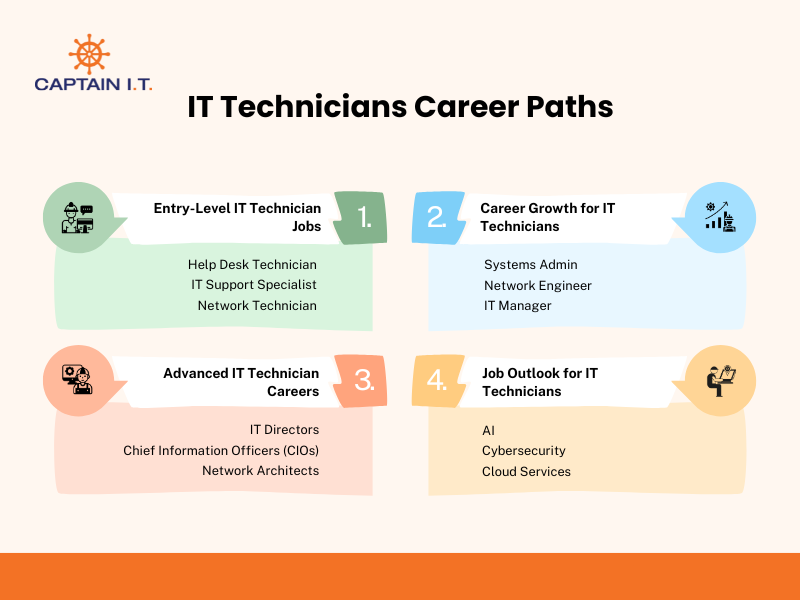
The career path for an IT Technician typically starts with entry-level positions, such as a help desk technician, and progresses to more advanced roles, such as a systems administrator or network engineer. With experience and additional certifications, IT Technicians can advance into specialized or leadership roles, such as IT Manager or Chief Information Officer (CIO), offering numerous opportunities for growth within the field.
- Entry-Level IT Technician Jobs:
Ideal for starting IT technician careers, entry-level positions include titles like Help Desk Technician, IT Support Specialist, or Network Technician. Their tasks include providing technical support, troubleshooting hardware and software issues, and assisting with system maintenance. These roles provide foundational experience that prepares technicians for more advanced responsibilities. - Career Growth for IT Technicians:
As IT Technicians gain experience, they can begin specializing in roles like Systems Admin, Network Engineer, or IT Manager. These roles come with greater responsibilities, ranging from overseeing IT infrastructure or implementing large-scale systems to managing teams. Continuous learning and certifications like CompTIA Network+, CompTIA Security+, or CCNA play a crucial role in career advancement. - Advanced IT Technician Careers:
IT technicians who continue to build expertise and specialize can become IT Directors, Chief Information Officers (CIOs), or Network Architects. These positions involve high-level strategic planning, managing IT teams, and shaping an organization’s overall IT strategy. At this stage, communication and leadership skills, as well as advanced certifications in cybersecurity, cloud computing, or enterprise networking, are required. - Job Outlook for IT Technicians:
The demand for IT Technicians specializing in AI, cloud services, and cybersecurity is expected to rise as businesses prioritize these technologies. With a notable skills gap in AI and cybersecurity, professionals in these fields will find more opportunities than others. Sectors like healthcare, finance, government, and SMBs will increasingly rely on experts to manage and secure these evolving systems.
Essential Skills and Certifications for IT Technicians
Becoming a successful IT Technician requires a strong blend of technical and soft skills, along with certifications. Technical proficiency is critical for managing and troubleshooting IT systems, while communication and problem-solving skills help technicians interact with users and resolve issues efficiently. Certifications not only validate expertise but also enhance job prospects, opening the door for career advancement within the IT industry
What Are the Skills Required to Become an IT Technician?
To excel as an IT Technician, you need a combination of core technical skills, troubleshooting abilities, and soft skills to effectively manage and support IT systems. These skills not only help you address technical challenges but also communicate more effectively and manage tasks in a fast-paced environment.
- Core Technical Skills:
A strong understanding of hardware, software, and operating systems is essential for installing, configuring, and troubleshooting. Familiarity with systems like Windows, Linux, and macOS, along with networking knowledge, is critical for resolving daily issues and maintaining system efficiency. - Troubleshooting Skills:
IT Technicians must quickly identify and resolve issues across hardware, software, and networking. The ability to diagnose problems, perform root cause analysis, and implement solutions helps keep systems functional and minimizes downtime. - Communication Skills:
Clear communication is vital for explaining technical issues to non-technical users. IT Technicians need active listening skills and the ability to provide concise solutions in both verbal and written form, ensuring users understand and can act on the information. - Networking and Security Skills:
Knowledge of network configurations (IP, subnets, routers) and security practices (firewalls, VPNs, data protection) is necessary to manage and protect systems. Understanding network protocols like TCP/IP and HTTPS helps IT technicians troubleshoot and maintain secure, efficient networks. - Time Management and Organizational Skills:
IT Technicians should be able to prioritize work, break down complex issues, handle multiple service requests, and ensure timely resolution while maintaining a high standard of work. Strong organizational skills are necessary to track tasks, manage projects, and maintain efficient workflows, which ultimately improve response times and system reliability.
What Are the Certifications Required to Become an IT Technician?
Key certifications for IT Technicians include CompTIA A+, CompTIA Network+, CompTIA Security+, Microsoft Certified Fundamentals, and CCNA. These certifications validate your technical expertise and improve job prospects by demonstrating your proficiency in essential IT skills, making you more competitive in the industry.
- CompTIA A+:
The CompTIA A+ is a foundational credential required for entry-level IT support positions, covering essential topics like hardware, software, networking, and security. - CompTIA Network+:
Focused on networking fundamentals, CompTIA Network+ covers network configurations, troubleshooting, and security. It prepares IT Technicians to handle network administration and maintenance tasks. - CompTIA Security+:
CompTIA Security+ emphasizes IT security principles, including encryption, firewalls, and risk management. It is essential for IT Technicians who need to manage network security and protect against cyber threats. - Microsoft Certified: Fundamentals:
The Microsoft Certified Fundamentals validates a basic understanding of Microsoft technologies. They are ideal for IT Technicians who plan to specialize in Microsoft products and services, including Windows Server and Azure. - Cisco Certified Network Associate (CCNA):
The CCNA certification focuses on networking and infrastructure, including routing and switching. This certification is ideal for IT Technicians who want to specialize in network design, management, and security within an enterprise environment.
Where Do IT Technicians Work?
IT technicians work in various environments, including corporate offices, managed service providers (MSPs), healthcare facilities, educational institutions, government agencies, and remote support roles. They maintain networks, troubleshoot issues, and ensure systems operate efficiently across these sectors.
- Corporate IT Departments:
Many IT Technicians are employed in the IT departments of large corporations, where they maintain internal networks, troubleshoot system issues, and support employees in their day-to-day technology needs. - Managed Service Providers (MSPs):
IT Technicians working for MSPs provide IT support and services to small and medium-sized businesses (SMBs) that lack in-house IT teams. These technicians often handle everything from system maintenance to network security for multiple clients. - Healthcare IT:
In healthcare, IT Technicians are crucial for managing medical devices and patient management systems, and for ensuring that healthcare data is secure and compliant with HIPAA regulations. - Educational Institutions:
IT Technicians working in schools, colleges, and universities are responsible for maintaining campus networks, providing support to students and staff, and keeping educational systems, such as digital classrooms and online resources, functional. - Government Agencies:
In government agencies, IT Technicians handle a wide range of responsibilities, from managing secure communication networks to maintaining databases and ensuring systems run efficiently and securely. - Remote IT Support:
With the rise of remote work, IT Technicians are increasingly providing remote support, troubleshooting issues, and assisting with system maintenance from a distance using remote access tools.
How Much Do IT Technicians Make?
IT Technicians typically make $40,000 to $90,000 annually, depending on their experience, location, and industry sector. Entry-level technicians earn on the lower end of the range, while those with more experience or specialized skills can earn higher salaries. Sectors like healthcare, finance, and technology tend to offer higher salaries due to the specialized skills required and the critical role IT plays in these fields.
Average Salary for IT Technicians
The average salary for IT Technicians in the United States typically ranges from $49,000 to $78,000 per year, according to Glassdoor. However, this can vary significantly by industry and location, with sectors like healthcare and aerospace often offering higher pay. On average, IT Technicians earn $25.66 per hour, with hourly rates ranging from $15.71 to $41.91, based on data from over 4,900 Indeed job descriptions.
IT Technician Salary Based on Experience Level
IT Technician salaries vary significantly by experience, with entry-level positions earning between $41,790 and $76,536 annually. As technicians gain more experience, their salaries increase. For example, IT professionals with 4-6 years of industry experience earn $51,000 to $82,000, while those with 10-14 years of industry experience earn $58,000 to $95,000 annually, according to Glassdoor. This wide salary range reflects the potential for career growth, depending on skill level, location, specialization, and industry expertise.
IT Technician Salary Across Different Locations
IT Technician salaries vary by location due to factors like cost of living, demand for skilled professionals, and industry presence. High-cost areas, such as California and New York, offer higher salaries to attract talent, while lower-cost regions, such as Houston, offer modest pay. Cities with strong tech industries, like Chicago and California, also see higher salaries due to demand.
Average salaries for IT Technicians in different locations in the U.S.:
- California: $47,369
- New York: $52,511
- Chicago: $49,483
- Alaska: $51,691
- Florida: $35,868
- Houston: $45,815
Source: ZipRecruiter
What Are the Common Tools Used by IT Technicians?
IT Technicians rely on diagnostic, remote access, ticketing, security, and backup tools to manage, troubleshoot, and maintain IT systems effectively. These tools help identify hardware and software issues, provide remote support, track service requests, and safeguard data. From diagnosing network problems to managing threats and restoring systems, these tools are essential for running IT infrastructure smoothly.
- Hardware Diagnostic Tools:
These tools help IT Technicians diagnose and repair hardware issues, including testing components like hard drives, memory, and processors. Examples include multimeters, diagnostic software, and external devices like boot drives. - Software and Network Diagnostic Tools:
IT Technicians use tools like ping, tracert, and Wireshark to diagnose network issues, measure performance, and monitor system health. Additionally, they rely on software diagnostic tools to identify and troubleshoot software problems. These tools help detect connectivity issues, software errors, and optimize network efficiency. - Remote Access Tools:
TeamViewer, AnyDesk, and Remote Desktop Protocol (RDP) allow IT Technicians to remotely connect to systems and troubleshoot issues without being physically present, which is especially useful for supporting remote users. - Ticketing and Support Platforms:
Platforms like ServiceNow, Zendesk, and Jira help IT Technicians manage service requests, track progress, and ensure that all issues are addressed efficiently. These platforms provide a structured way to manage IT support tickets. - Security and Antivirus Software:
Antivirus software like Bitdefender, Norton, and Malwarebytes is used by IT Technicians to protect systems from viruses, malware, and other security threats. These tools help ensure data safety and maintain system integrity. - Backup and Recovery Tools:
IT Technicians rely on backup and recovery tools such as Acronis and Veeam, as well as cloud-based solutions, to create and manage backups of critical data. These tools ensure that data can be restored in case of a system failure or data loss.