Remote IT support involves technicians using secure remote access tools to address computer issues, fix network problems, perform troubleshooting, and update systems without being physically present. This method reduces downtime and costs while allowing IT teams to provide technical support across multiple locations, delivering quick, efficient support to businesses and users from anywhere.
Along with cost and time benefits, remote IT support also presents challenges such as technical limitations, communication barriers, and difficulties with user cooperation. While it can be highly effective, issues like unstable internet connections, miscommunications, and reliance on the end user’s technical skills can hinder its efficiency. Despite these challenges, using the right tools, proactive maintenance, and clear communication protocols can help overcome them.
Businesses can implement remote IT support by selecting the right tools, training employees, and partnering with an MSP that specializes in their industry. Costs vary, with monthly subscriptions typically ranging from $100 to $200 per user, while on-demand services cost between $75 and $250 per hour. Tools like remote access software, cloud-based platforms, and ticketing systems are essential for efficient support, ensuring businesses can maintain security, minimize downtime, and provide reliable services.
What Are the Benefits of Remote IT Support?
Remote IT support offers numerous benefits to both SMBs and large enterprises, including cost savings by eliminating on-site visits, increased efficiency with faster issue resolution, and 24/7 availability to ensure support is accessible whenever needed. These key benefits help businesses maintain smooth operations and minimize downtime.
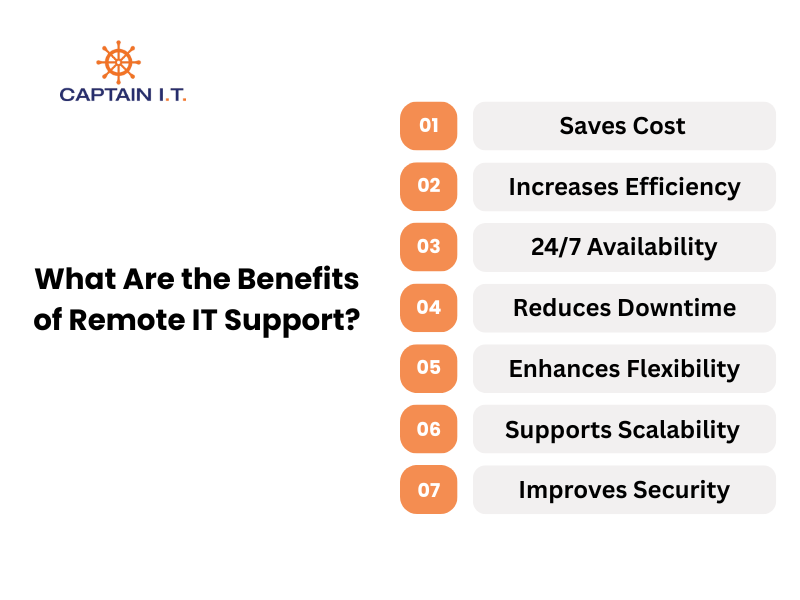
7 major benefits of remote IT support are as follows:
- Saves Cost: By eliminating travel and on-site visits, remote IT support eliminates unnecessary travel expenses.
- Increases Efficiency: Remote IT support enables quicker identification and resolution of issues, resulting in faster recovery times and smoother business operations.
- 24/7 Availability: Businesses can access IT support at any time, providing round-the-clock service regardless of time zones.
- Reduces Downtime: Remote support enables faster problem resolution, minimizing disruptions and keeping systems up and running.
- Enhances Flexibility: As remote support is available from any location, employees in multiple office locations can receive assistance instantly.
- Supports Scalability: Remote IT support can easily scale to meet the growing needs of a business without requiring additional on-site resources.
- Improves Security: Remote access tools allow technicians to securely monitor and troubleshoot systems 24/7, which prevents data breaches, unauthorized access, cyberattacks, and exploitation of system vulnerabilities.
What Are the Challenges of Remote IT Support?
Businesses using remote IT support may face communication barriers, technical limitations, and difficulty in maintaining active user cooperation. These challenges can impact the effectiveness of support services, potentially delaying resolution times and affecting overall service quality. However, with proper tools, clear communication, and a proactive approach, these challenges can be managed and mitigated, ensuring that businesses can still benefit from the convenience of remote IT support.
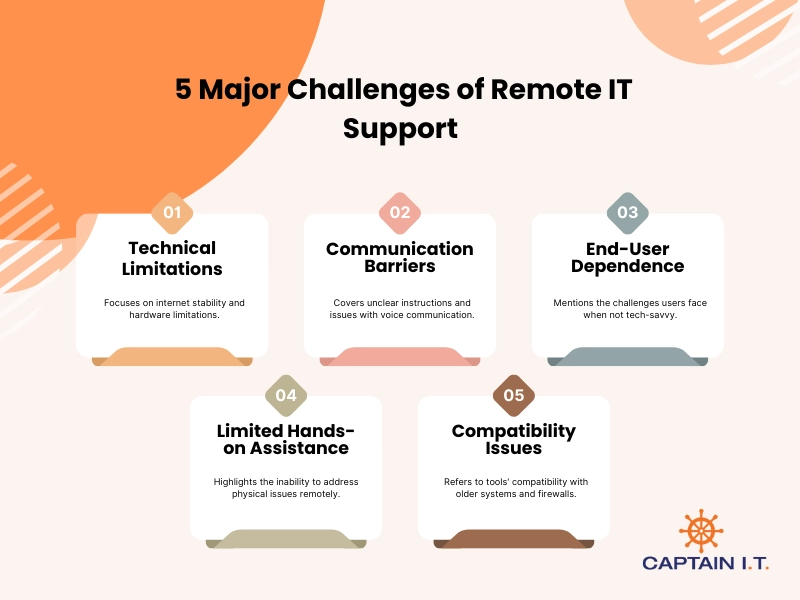
Below are 5 major challenges of remote IT support:
- Technical Limitations: Remote IT support relies on stable internet connections, and unstable home networks can cause delays. Additionally, remote support cannot address hardware issues unless the user has the technical skills to understand instructions and handle them.
- Communication Barriers: Text instructions may be unclear, especially if they are too technical, and voice communication may be affected by the speaker’s accent, connectivity issues, or poor sound quality, which can create misunderstandings and delay troubleshooting.
- End-User Dependence: Remote IT support requires users to follow instructions and grant system access, which can be difficult if they are not tech-savvy. This slows down the resolution process and leads to frustration.
- Limited Hands-on Assistance: Remote support can guide users through troubleshooting steps, but resolving hardware or physical issues can be difficult without direct access. Users may struggle with tasks like replacing faulty components, which require on-site intervention.
- Compatibility Issues: Remote support tools may not work with outdated operating systems or older devices, and their function may also be interrupted by firewalls. Additionally, they may not integrate with all CRMs, causing delays and requiring additional time or specific tools to overcome.
How Does Remote IT Support Work?
The remote IT support process begins when the user requests assistance and grants remote system access, allowing technicians to diagnose and resolve issues efficiently without the need for on-site visits.
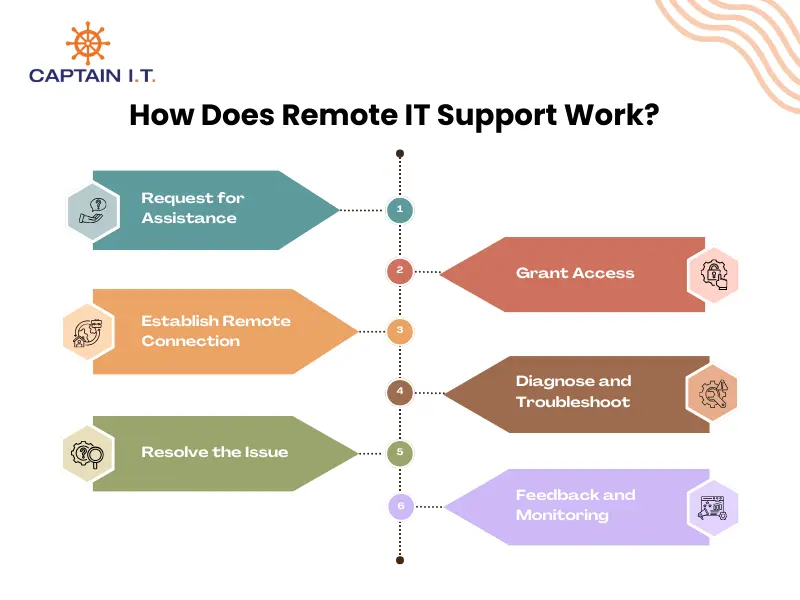
The working process of remote IT support involves:
- Request for Assistance: First, the user contacts the IT support team via phone, email, or live chat and describes the issue they are facing. The support team then arranges for remote assistance.
- Grant Access: Once the issue is received, the user grants the technician access to their system by using remote access software like TeamViewer or AnyDesk. These tools provide secure, temporary control of the device to the technician.
- Establish Remote Connection: The technician establishes a secure connection to the user’s device using remote access tools while encrypting the transmission so only the technician and the user can access the session. A stable connection is critical to prevent delays or interruptions during the troubleshooting process.
- Diagnose and Troubleshoot: The technician identifies the root cause of the problem by running diagnostic tools and analyzing system logs. The technician works remotely to pinpoint the issue and find the necessary fixes and adjustments.
- Resolve the Issue: Once the issue is identified and the solution is found, the technician applies the appropriate fix, which may involve installing updates, fixing software issues, or guiding the user through certain steps to resolve the problem.
- Feedback and Monitoring: After resolving the issue, the technician may ask for feedback to ensure the user is satisfied. Ongoing monitoring might be conducted to verify that the issue does not recur and that the system remains secure and operational.
What Are the Different Remote IT Support Jobs?
Remote IT support includes various roles, such as IT support technicians, help desk specialists, and network administrators, all of which provide specialized assistance to businesses and individuals. These positions require diverse technical expertise and skill sets to address a range of issues. Here are the major job roles in remote IT support:
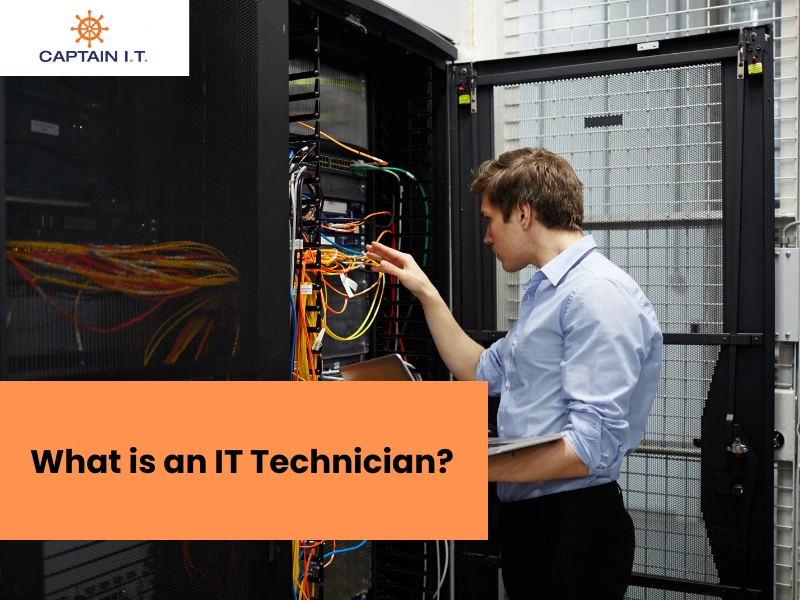
- Remote IT Support Technician: They troubleshoot and resolve a broad array of technical issues like software malfunctions, network disruptions, and system errors by using remote access tools to resolve problems efficiently. Remote IT support technicians deliver these solutions by utilizing their knowledge of operating systems, networks, and customer service.
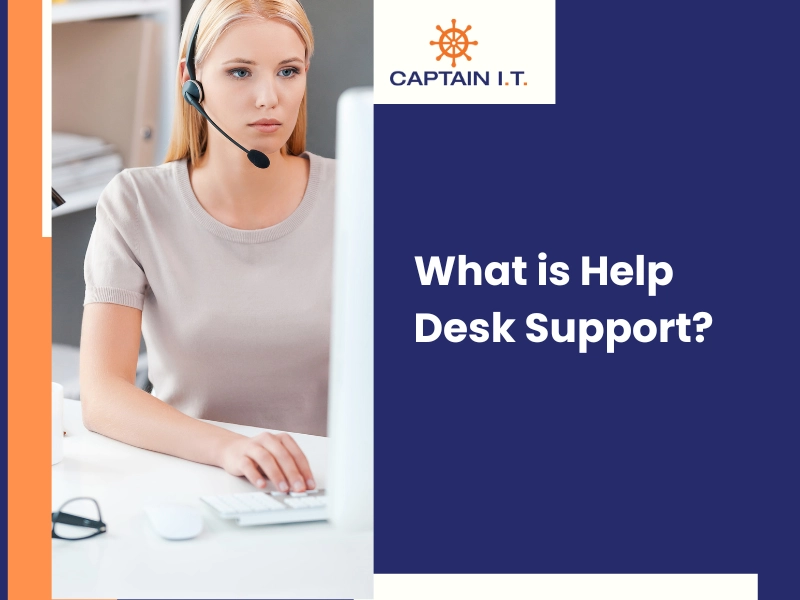
- Remote Help Desk Specialist: Often the first point of contact for users, help desk specialists address technical queries and guide users through basic troubleshooting with their exceptional communication skills. However, when issues become more complex, they escalate them to higher-level support teams, as these specialists are not qualified to handle more intricate issues.
- Remote IT Support Specialist: They take a proactive approach to resolving more complex technical problems, often specializing in specific technologies or platforms. They focus on issues like server configurations, advanced system troubleshooting, and other complex IT challenges to prevent recurring problems and ensure systems run smoothly.
- Remote Network Administrator: Qualified in networking and systems administration, network administrators manage and maintain network infrastructures remotely. They troubleshoot network issues, configure firewalls, and ensure secure communication across the organization’s network.
- Remote Technical Support Engineer: With specialized expertise in databases, enterprise systems, and software, technical support engineers solve complex IT issues. They have advanced knowledge in troubleshooting hardware, software, and network-related problems.
- Remote IT Support Manager: Remote IT Support Managers lead teams and ensure service level agreements (SLAs) are met. With strong technical and leadership skills, they coordinate workflows and oversee complex technical issues to maintain efficient IT support.
Skills and Certifications for Remote IT Support Jobs
Qualifying for remote IT support jobs requires a combination of technical expertise, certifications, and soft skills. Core technical skills like troubleshooting, networking, and knowledge of operating systems allow technicians to resolve issues with hardware, software, and networks. Certifications validate these skills and ensure that they are equipped to handle various IT challenges. In addition, soft skills like communication, problem-solving, and time management are crucial for explaining solutions, addressing complex problems, and managing multiple requests.
Key certifications for remote IT support jobs include:
- CompTIA A+: A foundational certification covering hardware, software, and basic troubleshooting skills.
- CompTIA Network+: Focuses on networking fundamentals like IP addressing and network security.
- Cisco Certified Network Associate (CCNA): Provides advanced networking knowledge for managing complex network environments.
- ITIL Foundation: Covers best practices for IT service management to improve service delivery.
How Much Does Remote IT Support Cost?
Managed Service Providers (MSPs) typically charge $100 to $200 per workstation or user per month for remote IT support, which is ideal for SMBs seeking ongoing support. For on-demand services, prices range from $75 to $250 per hour, with higher costs for specialized skills or more complex technical requirements.
Existing providers may also charge per-ticket fees, starting from just $1, but hiring external support on a per-incident basis typically costs $150 to over $300 per incident, depending on the complexity of the issue and the hours required to resolve it. These rates may decrease with a higher number of users, as pricing becomes more scalable. The final cost varies based on the type of support (ongoing vs. on-demand), business size, service level agreements (SLAs), and the complexity of the issues.
What Are The Tools Required for Remote IT Support?
Secure and effective remote IT support requires remote access and control tools, cloud-based support platforms, ticketing and help desk software, and live collaboration tools. These tools enable technicians to remotely access systems, track support requests, manage issues, and communicate with users in real time.
Core Remote Access and Control Tools
Remote access tools like TeamViewer, AnyDesk, LogMeIn, Splashtop, and RemotePC provide secure device control, file transfer, and troubleshooting capabilities. These tools ensure seamless, high-performance support across platforms, with features like multi-monitor support and cross-platform compatibility for effective IT management.
- TeamViewer: A widely used remote access tool that allows technicians to remotely control devices, transfer files, and troubleshoot issues securely on multiple platforms.
- AnyDesk: Known for its fast connections and high-quality video support, AnyDesk enables technicians to access PCs remotely and provide support with minimal latency.
- LogMeIn: Provides secure remote access for remote troubleshooting, device management, and seamless integration with various IT systems.
- Splashtop: High-performance tool known for its ease of use, with features like file transfer and multi-monitor support, perfect for IT support teams.
- RemotePC: A user-friendly tool that provides remote desktop control, collaboration, and cross-platform support for efficient IT management.
Cloud-based Support Platforms
Cloud-based platforms like Zoho Desk, Freshdesk, Zendesk, ServiceNow, and HubSpot Service Hub help manage tickets, automate workflows, and offer multi-channel support. These platforms integrate with various business systems, enhancing IT support efficiency and enabling streamlined service delivery for large and small businesses of all sizes.
- Zoho Desk: A cloud-based support platform that helps manage customer service tickets, offering remote troubleshooting, ease of use, integration with Zoho apps, and customizable features.
- Freshdesk: Known for its intuitive interface, automation, and robust ticketing system, it helps IT teams manage support requests efficiently across multiple channels.
- Zendesk: A comprehensive customer service platform offering tools for ticket management, live chat, and reporting, popular for IT support and customer service.
- ServiceNow: An IT service management platform that integrates with other business systems, automates processes, and offers scalability for enterprise-level use.
- HubSpot Service Hub: A customer service platform that integrates with HubSpot’s CRM, offering ticketing, knowledge management, and live chat features for IT support.
Ticketing and Help Desk Software
Jira Service Management, ManageEngine ServiceDesk Plus, BMC Helix ITSM, and Cherwell Service Management are some of the major ticketing and help desk solutions. They provide customizable support workflows, asset management, and automation, improving IT service management by tracking and prioritizing support requests.
- Jira Service Management: A popular ticketing system for IT service management, designed to track and prioritize service requests, integrate with other tools, and automate workflows for seamless support operations
- ManageEngine ServiceDesk Plus: An ITIL-compliant and highly scalable help desk software with features like asset management, ticketing, and reporting.
- BMC Helix ITSM: An IT service management platform that automates support workflows and enhances service delivery, utilizing AI-driven insights and integrating easily with other business systems.
- Cherwell Service Management: A flexible tool that enables organizations to customize workflows, automate processes, and integrate with other IT systems for streamlined support and ticket management.
Collaboration Tools for Live Support
Live collaboration tools like Zoom, Microsoft Teams, Google Meet, and Slack enable real-time communication for remote IT support. These tools allow technicians to troubleshoot, share screens, and collaborate efficiently, ensuring fast issue resolution and improving the overall support experience for end users and IT teams in SMBs and large enterprises alike.
- Zoom: A widely used video conferencing and screen-sharing tool that enables technicians to communicate with users in real time and resolve issues.
- Microsoft Teams: A collaboration platform that integrates with Microsoft 365, offering chat, video calls, and file sharing to enhance remote IT support.
- Google Meet: A secure video conferencing tool integrated with Google Workspace, ideal for real-time communication and troubleshooting during remote support sessions.
- Slack: A messaging and collaboration tool that allows IT teams to communicate quickly, share files, and integrate with other IT support tools for efficient troubleshooting.
How Can Businesses Implement Remote IT Support?
Businesses can implement effective remote IT support by selecting the right tools, training their employees, and integrating these tools into their existing IT systems. For quick troubleshooting and remote issue resolution, businesses need tools like remote access software, cloud-based platforms, and ticketing systems. It is also crucial to integrate these tools smoothly with the current infrastructure and train employees to use them effectively without confusion. Setting up secure access protocols is also vital to protect sensitive data during remote support sessions.
When choosing a Managed Service Provider (MSP), businesses should select a provider that specializes in their industry and complies with relevant regulations. For example, a dentist must only choose a HIPAA-compliant MSP so that their patient data is handled appropriately and legal penalties are avoided. In this way, a specialized MSP can offer tailored support, understand industry-specific needs, and ensure scalable, reliable, compliant, and secure remote IT services. By combining the right MSP with structured processes for remote IT support, both SMBs and large businesses can minimize downtime, improve productivity, and provide a positive user experience.