Malware is malicious software designed to damage, disrupt, or gain unauthorized access to computer systems. Once inside a system, malware executes its code and secures continued access by modifying system settings. It then performs its intended action, such as encrypting files, stealing sensitive information, spreading across the network, or disrupting normal system operations.
The most common types of malware include ransomware, viruses, Trojan horses, worms, spyware, adware, rootkits, keyloggers, botnets, fileless malware, backdoors, scareware, cryptojacking malware, browser hijackers, and logic bombs.
In terms of threats, these malware types spread through phishing, infected downloads, compromised websites, and network vulnerabilities. This causes slow performance, data theft, system crashes, and operational disruptions, which can severely impact small and medium businesses (SMBs).
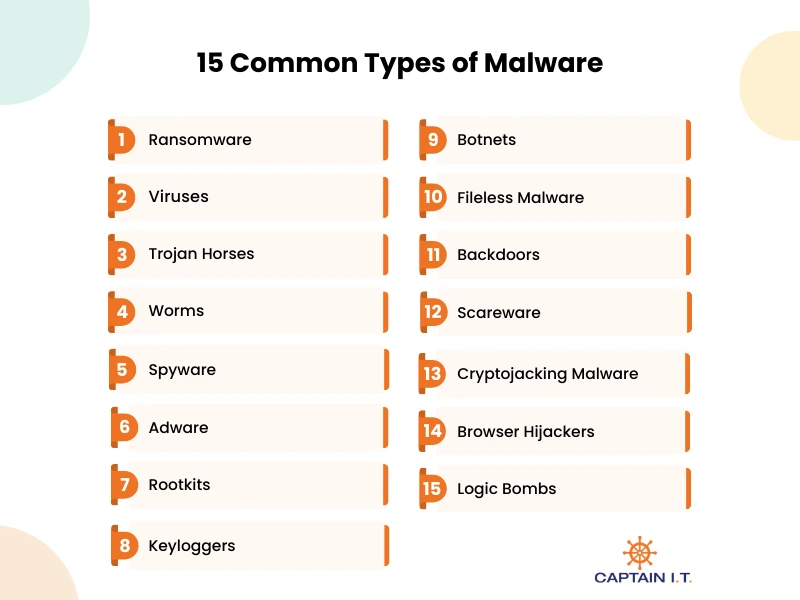
15 Common types of Malware include:
- Ransomware
- Viruses
- Trojan Horses
- Worms
- Spyware
- Adware
- Rootkits
- Keyloggers
- Botnets
- Fileless Malware
- Backdoors
- Scareware
- Cryptojacking Malware
- Browser Hijackers
- Logic Bombs
1. Ransomware
Ransomware is malicious software that infects a computer system, encrypts files or locks the operating system, and demands payment to restore access. It often spreads through phishing emails, infected attachments, malicious links, or unpatched security vulnerabilities. Real-world ransomware examples include WannaCry, which disrupted the National Health Service, NotPetya, which caused billions in losses to companies like Maersk, and Ryuk, targeting hospitals and enterprises. As per Comparitech, a total of 7,419 ransomware attacks were reported worldwide, reflecting a 32% increase from 5,631 incidents in 2024, with 1,173 of the 2025 cases confirmed by the targeted organizations.
Prevention depends on regular offline backups, timely software updates, reliable antivirus protection, email filtering, multi-factor authentication, and employee awareness training. Partnering with trusted cybersecurity providers enhances threat monitoring, strengthens security controls, and enables a faster, more effective response in the event of a ransomware attack.
What Distinguishes Ransomware from Other Types of Malware?
Ransomware stands apart from other malware because it encrypts files or locks systems and demands payment to restore access. Unlike viruses and worms, which focus on spreading, or spyware and trojans, which steal data or gain hidden access, ransomware directly extorts victims for financial gain. Its visible ransom demand and use of strong encryption make it distinct from stealth-based threats.
2. Viruses
Malicious programs known as computer viruses attach to legitimate files or applications and spread when those files are opened. Once activated, they replicate, infect other files, corrupt data, and disrupt the operating system. They commonly spread through email attachments, unsafe downloads, removable media, or compromised websites. Outbreaks such as ILOVEYOU and Melissa infected millions of systems and caused widespread email and network disruption.
It negatively impacts businesses such as SMBs by disrupting daily operations, increasing financial strain, and weakening customer confidence. Small businesses may experience operational disruption, damaged files, and unexpected recovery costs due to limited IT support, while medium-sized businesses can face broader network outages, employee downtime, service delays, and possible data exposure. Prevention requires updated antivirus software, regular system patches, restricted access controls, secure backups, and strong employee awareness.
What Are the Different Types of Computer Viruses?
The different types of computer viruses include file infector viruses, macro viruses, boot sector viruses, resident viruses, polymorphic viruses, multipartite viruses, and direct action viruses. These viruses infect programs or system areas, replicate, corrupt files, disrupt performance, and sometimes spread across networks to other devices. Protection depends on updated antivirus software, regular system patches, restricted access controls, cautious email use, and reliable backups.
What Is the Difference Between Malware And Virus?
Malware is any malicious software that harms or exploits a system, whereas a virus is a specific type of malware that infects files and spreads when executed. Malware includes threats like ransomware, spyware, and worms, while a virus requires a host file to activate and replicate. In short, all viruses are malware, but not all malware is viruses.
3. Trojan Horse
A Trojan Horse is a type of malicious software that pretends to be a legitimate program to trick users into installing it. Once inside a system, it can open a backdoor, steal passwords and financial data, monitor activity, or download other malware. Unlike viruses and worms, it does not spread on its own but relies on user action, often through phishing emails, fake software updates, or infected downloads. Notable examples, such as Zeus and Emotet, targeted banking information and corporate networks, causing major financial and operational damage to SMBs.
For preventive measures, install software only from trusted sources and block unauthorized downloads. Keep operating systems and applications up to date to fix security vulnerabilities. Use reliable antivirus and endpoint protection with real-time monitoring. Limit administrative access and train employees to recognize phishing and suspicious links to reduce the risk of Trojans.
What Are the Various Types of Trojan Horses?
The different types of Trojan Horses include backdoor trojans, banking trojans, downloader trojans, remote access trojans (RATs), spyware trojans, and rootkit trojans. These viruses infect programs or system areas, replicate when executed, corrupt or modify files, disrupt system performance, and in some cases spread across networks to compromise multiple devices.
4. Worms
Worms are self-replicating forms of malicious software that spread automatically across networks without attaching to a host file or requiring user interaction. It exploits security vulnerabilities in operating systems or applications to copy itself and infect connected devices through network traffic. Unlike viruses, it operates independently and can move rapidly between systems. Major outbreaks such as SQL Slammer and Conficker infected thousands of systems worldwide and disrupted global networks.
These infections can consume bandwidth, slow performance, crash servers, and create entry points for additional attacks. Prevention depends on timely security updates, strong firewall settings, network segmentation, updated antivirus protection, and continuous monitoring of unusual network activity.
What Are Examples of Real-World Computer Worms?
Examples of real-world computer worms include SQL Slammer, Conficker, Mydoom, ILOVEYOU, and Blaster. These worms spread rapidly across networks by exploiting security vulnerabilities or email systems, causing widespread system infections, network slowdowns, and major operational disruptions worldwide.
5. Spyware
Designed to secretly monitor user activity, Spyware collects sensitive information, including passwords, banking details, browsing history, and personal data, without consent. As per Kaspersky, its detection systems identified an average of 500,000 malicious files per day in 2025, representing a 7% increase from 2024. Certain threats saw notable global growth, including a 59% rise in password stealer detections, a 51% increase in spyware detections, and a 6% growth in backdoor detections compared to the previous year.
Preventive measures include using trusted antivirus and anti-spyware software, regularly updating all applications and systems, avoiding downloads from unverified sources, limiting app permissions, and training users to recognize phishing attempts and unsafe links.
What Are the Most Famous Spyware Examples?
Some of the most well-known examples of spyware include Pegasus, FinFisher, Keylogger Trojan, CoolWebSearch, and Gator. They operate silently to monitor user activity, capture sensitive information, and in many cases transmit data to attackers without the user’s consent.
6. Adware
Adware is a type of unwanted software that automatically displays or downloads advertisements on a computer or device, often without the user’s consent. It typically spreads through bundled software downloads, malicious websites, or compromised email links. Once installed, adware can generate intrusive pop-ups, redirect browsers to unwanted websites, slow down system performance, and sometimes track user behavior to collect browsing data.
Regarding business-related SMBs, adware infections can reduce employee productivity, cause frequent system slowdowns, and create security risks by exposing sensitive browsing or business data. These disruptions may also lead to additional IT costs for cleanup and system maintenance. To prevent this, use trusted antivirus and anti-adware software, avoid downloading from unverified sources, keep systems and browsers up to date, and educate employees about the risks of clicking on suspicious ads or links.
What Are Common Adware Examples?
Some common adware examples include Fireball, Gator, CoolWebSearch, WhenU, and Hotbar. These programs display unwanted advertisements, redirect browsers, track user activity without consent, slow system performance, and increase the risk of exposure to other malware.
7. Rootkit
A type of malicious software, a rootkit is designed to gain and maintain unauthorized access to a computer or network while remaining hidden from users and security tools. It typically spreads through trojans, phishing attacks, or the exploitation of system vulnerabilities. Once installed, a rootkit can modify system files, hide processes, and allow attackers to execute commands or install additional malware without detection.
Rootkits undermine system security, allow attackers to steal sensitive data, and are very difficult to detect or remove. Businesses, including SMBs, can face operational interruptions, unauthorized access to critical information, and persistent security weaknesses. Protecting against rootkits involves regularly updating systems and software, using reliable antivirus and anti-rootkit solutions, limiting administrative privileges, monitoring for unusual system activity, and training employees to recognize phishing attempts and unsafe downloads.
What Are the Various Types of Rootkits?
The various types of rootkits are user-mode, kernel-mode, bootkits, firmware/hardware, memory-based, and hypervisor rootkits. They operate by hiding malicious activity, gaining unauthorized system control, manipulating files or processes, and maintaining persistent, undetectable access to compromised devices.
8. Keylogger
Malicious software that records every keystroke typed on a keyboard without the user’s knowledge is known as a keylogger. It works by running silently in the background, capturing login credentials, credit card numbers, emails, and other sensitive information, then sending the data to attackers. A 2025 SpyCloud report found that nearly 80% of data breaches in 2024 were linked to stolen user credentials. IBM data shows that the use of infostealing malware increased by 266% in 2023 compared to the previous year.
The impact includes identity theft, financial fraud, unauthorized access to accounts, and corporate data breaches, particularly affecting small and medium-sized businesses with shared systems. Prevention involves using updated antivirus and anti-malware tools, enabling multi-factor authentication, keeping systems patched, avoiding suspicious downloads, and educating users to recognize phishing attempts and malicious attachments.
What Type of Malware is a Keylogger?
A keylogger is a type of spyware that secretly records keystrokes to capture passwords, credit card details, and other sensitive data. It exists in software, hardware, and kernel-based forms that may evade detection by operating at the system level. Keyloggers spread through phishing emails, malicious downloads, and compromised websites, running silently in the background. Prevention includes using updated security software, enabling multi-factor authentication, applying system updates, and avoiding suspicious links or attachments.
9. Botnet
A botnet is a network of compromised, internet-connected devices, including computers, servers, and IoT devices, that are infected with malware and controlled remotely by a single attacker, called a “bot-herder.” According to StormWall’s H1 2025 Report, the nature of DDoS attacks shifted notably in the first half of 2025, with approximately 70% of HTTP DDoS attacks coming from botnets in Q1, increasing to 81% by Q2.
Well-known examples include the Mirai botnet, which disrupted internet services by targeting IoT devices, and the Zeus botnet, which stole banking credentials. Small and medium-sized businesses may suffer network outages, financial losses, data breaches, and reputational damage due to botnet attacks. Protection against botnet attacks involves updating devices and software, using strong passwords, enabling firewalls and intrusion detection, monitoring networks, and training users to recognize phishing and unsafe downloads.
10. Fileless Malware
A stealthy cyberattack that operates directly in a system’s RAM instead of installing files on the hard drive, allowing it to evade traditional signature-based antivirus tools, is known as Fileless Malware. By hijacking trusted system utilities such as PowerShell, WMI, or registry keys, a method known as “living off the land,” it executes malicious commands while blending in with normal system activity. Examples such as Poweliks and Astaroth used legitimate tools to steal data and maintain persistence.
The impact of fileless malware includes credential theft, data breaches, and prolonged, undetected access to business networks, especially affecting small and medium-sized enterprises with limited monitoring. Proactive methods include advanced endpoint detection and response (EDR) tools, regular system updates, restricted administrative privileges, script monitoring, and continuous network activity analysis to identify suspicious behavior in real time.
11. Backdoor
A backdoor is malicious software that bypasses normal authentication to provide unauthorized remote access to a computer, network, or application. It creates a hidden entry point that often remains undetected for long periods, allowing attackers to steal data, install additional malware, or maintain persistent control over compromised systems. Notable examples include Ghost RAT and NetTraveler, which were used to exfiltrate sensitive information and to remotely manipulate networks.
Consequences of backdoors include data breaches, operational disruption, and prolonged security vulnerabilities. For preventive measures, rely on regularly updating systems, strong access controls, firewalls, and intrusion detection systems, as well as on monitoring for unusual network activity and on training users to recognize phishing attempts and unsafe downloads.
12. Scareware
Malware that uses fake security alerts to frighten users into installing fraudulent software or paying money is known as scareware. It appears as urgent, fake browser warnings that pressure users to purchase or download counterfeit “antivirus” programs, which are actually malware intended to steal personal information or extort money. Prominent examples include FakeAV and WinFixer, which misled users with deceptive alerts.
The effects of scareware include financial losses, theft of personal data, and compromised systems, particularly impacting SMBs. Protection involves ignoring suspicious pop-ups, installing reliable antivirus software, keeping systems and applications up to date, and educating users to identify phishing attempts and fake security warnings.
13. Cryptojacking Malware
Cryptojacking malware is malicious software that hijacks a computer’s or device’s processing power to mine cryptocurrency without the user’s consent. It often operates silently in the background, exploiting CPU and GPU resources, which can cause severe slowdowns, overheating, and higher energy bills. This malware frequently uses JavaScript running in browsers or fileless, in-memory techniques to avoid detection.
Well-known examples of cryptojacking malware include Coinhive, which used web browsers to secretly mine Monero, and WannaMine, which leveraged infected devices across corporate networks for cryptocurrency mining. This activity can slow systems, increase energy consumption, strain hardware, and expose networks to additional security risks. To overcome this, regularly update software, use endpoint protection, block suspicious browser scripts, restrict unauthorized programs, and educate users about unsafe downloads and links.
14. Browser Hijacker
By secretly taking control of a web browser, a browser hijacker can change homepages, redirect searches, and install unwanted toolbars or extensions. Its main purposes include generating ad revenue, monitoring user activity, and delivering additional malicious software. CoolWebSearch, Conduit, and Ask Toolbar redirect users to harmful or sponsored websites while gathering personal information, and are examples of browser hijackers.
The risks involve slower browsing, compromised privacy, exposure to phishing scams, and persistent unwanted advertisements. Follow preventive measures such as installing reliable antivirus and anti-malware programs, regularly updating browsers and extensions, removing unfamiliar add-ons, avoiding untrusted downloads, and training users to recognize unsafe websites and links.
15. Logic Bomb
A logic bomb is malicious code intentionally inserted into software, applications, or network services that remains dormant until specific, predefined conditions are met. Once triggered, often by a certain date, time, or user action, it executes a destructive payload such as deleting data, corrupting files, or disrupting operations. Because it can stay hidden for months or even years, detection with traditional scanners is difficult.
The consequences of a logic bomb include data loss, prolonged operational downtime, financial losses, and reputational harm, especially for businesses that depend on continuous system availability. Regularly scan files, including compressed files and subdirectories, to catch dormant code. Monitor network and application activity for unusual behavior, separate critical duties to reduce insider threats, apply timely security patches, and maintain secure, tested backups to enable rapid recovery if a logic bomb is triggered.
How Do Different Types of Malware Spread?
The different types of Malware spreads by exploiting system weaknesses, user mistakes, and interconnected networks. Viruses attach to legitimate files and spread when those files are shared, worms self-replicate across networks by exploiting vulnerabilities, ransomware often enters through phishing emails or exposed RDP services, Trojans disguise themselves as legitimate software, and botnets infect devices and connect them to remote command servers for centralized control.
What Are the Signs A Device is Infected with Malware?
A malware-infected device often shows signs such as slow performance, frequent crashes, unresponsive applications, unexpected pop-ups, and unauthorized changes to settings or files. These problems arise as malware consumes resources, modifies files, disrupts processes, or contacts external servers. If unchecked, it can steal data, disrupt operations, and open doors to further attacks. Early detection through updated antivirus scans, removing suspicious programs, and monitoring system activity is crucial to limit damage.
How to Protect Against Different Types of Malware Attacks?
Protecting against malware attacks requires a multi-layered approach, including updated systems and software, reliable antivirus and anti-malware tools, firewalls, strong access controls, and multi-factor authentication. Regular backups and continuous network monitoring help detect and contain threats early, while partnering with trusted cybersecurity providers adds expert monitoring, threat intelligence, and rapid response to prevent, detect, and recover from malware attacks.