
IT Support Rancho Cucamonga, CA

Captain IT provides IT support for Rancho Cucamonga businesses that need reliable assistance with technology issues affecting employees, devices, applications, and connectivity. Our IT support team troubleshoots help desk requests, software problems, Microsoft 365 issues, account access failures, workstation problems, network connections, VPN access, Wi-Fi disruptions, and supported hardware. We offer remote IT support for eligible issues that can be resolved without a site visit, and onsite IT support when physical access to workplace technology is required.

With 15+ years in business, Captain IT serves Rancho Cucamonga businesses that need ongoing technical assistance without maintaining a full internal IT team. Businesses can use Captain IT for outsourced IT support or to provide added capacity for existing IT staff. Our IT support specialists respond to support requests, identify technical problems, resolve eligible issues remotely, escalate complex incidents, and provide onsite assistance when hands-on troubleshooting is required.

Call Captain IT at (213) 335-3249 for IT support tailored to your users, devices, applications, and day-to-day technology needs. Our IT service technicians provide remote assistance and onsite troubleshooting for employee devices, networks, applications, and supported business systems when needed.

Years in Business
15 +
Clients Served
300 +
Projects Completed
700 +
Tickets Completed
25000 +

IT SUPPORT SERVICES

What IT Support Services Does Captain IT Provide in Rancho Cucamonga?

Captain IT supports Rancho Cucamonga businesses with technical assistance for employees, computers, applications, user accounts, networks, hardware, and data recovery needs. Our IT support services combine managed support, help desk assistance, remote troubleshooting, onsite service, network support, business computer support, Microsoft 365 support, and backup recovery to address day-to-day technology issues.

For businesses that need ongoing technical assistance, our managed IT support provides structured support for users, devices, applications, accounts, and covered workplace systems. Captain IT can handle day-to-day IT requests as an outsourced support provider or work alongside an existing internal IT team. We troubleshoot reported issues, coordinate escalations, and provide continuing technical assistance as business support requirements change.

Our IT help desk gives Rancho Cucamonga employees a direct way to request assistance with common workplace technology problems. The support team handles issues involving computers, applications, software, passwords, user accounts, login access, Microsoft 365, and connectivity. We document requests, troubleshoot reported problems, resolve eligible issues, and escalate tickets that require additional technical expertise.

When a technical problem requires hands-on access to workplace technology, Captain IT can provide onsite assistance at Rancho Cucamonga business locations. Our IT support team inspects supported workstations, printers, peripherals, servers, network devices, and physical connections to determine the source of the issue. We use onsite support when remote troubleshooting is insufficient and direct access to equipment is necessary.

Our remote IT support helps employees resolve eligible technical issues without waiting for a technician to arrive on-site. We assist with software errors, application problems, device issues, account access, login failures, VPN connections, and other supported requests. Captain IT can troubleshoot these problems remotely when diagnosis and resolution do not require physical access to equipment.

For Wi-Fi interruptions, internet problems, VPN failures, and local connectivity issues, we help Rancho Cucamonga businesses identify what is preventing employees from reaching required resources. Our network support technicians troubleshoot affected devices, switches, routers, network connections, and shared resources to locate the problem. We focus on resolving active connectivity issues and restoring access to supported business systems.

Across business computers, laptops, workstations, printers, peripherals, and other supported hardware, our IT support team diagnoses problems that interfere with normal employee tasks. We assess device failures, workstation errors, equipment performance, and physical hardware issues to determine the appropriate response. Based on the identified problem, Captain IT provides troubleshooting, hands-on inspection, repair coordination, replacement guidance, or escalation.

Captain IT provides Microsoft 365 support for Rancho Cucamonga employees experiencing problems with Outlook, Teams, OneDrive, SharePoint, licensing, synchronization, account sign-ins, and supported configurations. Our IT support specialists investigate the affected application or account and troubleshoot issues that interfere with everyday access and collaboration. We keep day-to-day Microsoft 365 support separate from broader migration, cloud planning, and technology strategy services.

When backups fail, or supported business files and systems need restoration, our backup and recovery support helps identify the problem and available recovery options. Captain IT technicians can investigate backup failures, review accessible recovery resources, and coordinate appropriate restoration activities. We assist with recovering supported files or systems when usable backup data and recovery resources are available.

What IT Problems Can Captain IT Solve for Rancho Cucamonga Businesses?

Captain IT helps Rancho Cucamonga businesses address IT problems that interrupt employees, devices, applications, networks, servers, and access to workplace systems. Through remote and onsite troubleshooting, our IT support technicians identify affected technology, investigate reported symptoms, and restore normal access and functionality.

managed it services los angeles

What Are the Benefits of IT Support for Rancho Cucamonga Businesses?

Reliable IT support gives Rancho Cucamonga businesses a structured way to respond when technology issues interrupt employees or operations. Through responsive troubleshooting, technical escalation, and access to experienced technicians, Captain IT helps businesses restore affected technology, support employee productivity, and add technical capacity when needed.

Reduced Business Downtime

When technology failures prevent employees from accessing devices, applications, networks, or business systems, timely troubleshooting can shorten the disruption. Our IT technicians identify the reported issue, diagnose possible causes, perform appropriate troubleshooting, and escalate complex problems when necessary. This process helps restore affected technology so Rancho Cucamonga employees can resume their normal responsibilities.

Faster Issue Resolution

A structured support process gives technical requests a defined path from initial reporting through troubleshooting and resolution. Captain IT technicians evaluate the affected technology, determine the appropriate support method, and escalate requests that require additional expertise. We can resolve eligible problems remotely and arrange onsite assistance when equipment, physical connections, or other workplace technology requires hands-on attention.

Higher Employee Productivity

Employees spend less time troubleshooting technical problems themselves when professional IT assistance is available. At Captain IT, we address eligible issues involving computers, applications, Microsoft 365, user accounts, hardware, and network connectivity. We give employees a direct support path to report technology problems so they can return to their work once the issue is resolved.

Access to Technical Expertise

Rancho Cucamonga businesses can access technical knowledge across multiple areas of workplace technology without depending on a single employee for every support request. Captain IT technicians assist with devices, applications, Microsoft 365, user access, networks, hardware, and other supported systems. This range of expertise provides additional technical resources when a problem requires specialized diagnosis, escalation, or hands-on troubleshooting.

Predictable IT Support Costs

With Captain IT’s fixed-fee IT support model, businesses can plan covered support expenses within an agreed service arrangement. Our pricing structure provides greater visibility into recurring IT support costs, rather than charging a separate service fee for each eligible request. Actual pricing and coverage depend on factors such as users, locations, support scope, technology requirements, and the selected service agreement.

More Internal IT Capacity

For companies with limited IT resources, additional support capacity can help manage employee requests without placing every technical issue on internal staff. We can handle help desk tickets, remote troubleshooting, onsite assistance, and technical escalations based on the agreed support scope. Businesses without internal IT staff can use Captain IT as an outsourced support resource, while existing IT teams can use our IT support technicians for added capacity when support demand increases.

How Does Captain IT Deliver IT Support in Rancho Cucamonga?

At Captain IT, managed IT support begins with understanding your Rancho Cucamonga business, users, technology environment, and current support requirements. Our process moves through consultation, assessment, support planning, onboarding, monitoring and support setup, ongoing maintenance, and service reviews to establish a structured approach for managing day-to-day IT needs.

Initial Consultation

Initial Consultation

The process begins with a discussion about your employees, business locations, existing IT support arrangement, recurring technical issues, and systems that support daily operations. Captain IT also reviews your support expectations, onsite requirements, and current technology concerns. This initial conversation helps define what your Rancho Cucamonga business needs before we develop a support plan.

IT Environment Assessment

IT Environment Assessment

Next, our IT support team reviews the technology environment covered by the managed IT support relationship. We examine relevant devices, applications, user access, network information, existing documentation, vendor relationships, and known technical incidents. The assessment identifies current support requirements and gives our IT support specialists a clearer understanding of the systems they will support.

Support Planning

Support Planning

Using information gathered during the assessment, Captain IT defines how technical support will be organized for your business. The plan can establish support responsibilities, service priorities, escalation procedures, communication channels, and transition requirements. We use this stage to create a practical support structure before employees and systems move into the onboarding process.

IT Support Onboarding

IT Support Onboarding

During onboarding, our team prepares the information and access required to begin supporting your users and covered technology. This process can include documenting authorized users, support contacts, system information, responsibilities, ticket procedures, access requirements, and escalation paths. Rancho Cucamonga employees then have a defined process for submitting requests and receiving technical assistance.

Monitoring and Support Setup

Monitoring and Support Setup

Once onboarding information is organized, we configure the agreed support tools, ticketing procedures, remote access, monitoring systems where included, and escalation workflows. Captain IT also establishes how employees request assistance and how technical issues move through the support process. This setup creates the operational framework needed for ongoing managed IT support.

Ongoing Maintenance and Support

Ongoing Maintenance and Support

After support becomes active, our IT support technicians handle day-to-day requests, troubleshooting, maintenance activities, technical escalations, and supported updates within the agreed service scope. We can address eligible problems remotely and provide onsite assistance when physical troubleshooting is necessary. Ongoing support also addresses recurring technology needs as users, devices, and business requirements change.

Service Reviews

Service Reviews

As your managed IT support develops, Captain IT reviews recurring technical issues, unresolved concerns, service activity, and changes involving users or business locations. Our IT support team can also discuss adjustments in support requirements that affect day-to-day service delivery. These reviews help keep the managed IT support arrangement aligned with the current technology environment of your Rancho Cucamonga business.

Why Choose Captain IT for IT Support in Rancho Cucamonga?

Choose Captain IT for Rancho Cucamonga IT support when your business needs responsive technical assistance, remote and onsite support, clear service expectations, and experienced technicians. Since 2010, we have supported businesses with employees, devices, applications, networks, user accounts, hardware, and connectivity. Our support model combines local service coverage, fast response, fixed-fee pricing, SLA commitments, dedicated technical resources, and flexible contract terms. We provide ongoing business IT support while giving employees a reliable way to request help, resolve technical issues, and escalate complex problems when needed.

How Can IT Consulting Help Rancho Cucamonga Businesses?

IT consulting helps Rancho Cucamonga businesses make informed decisions about technology planning, infrastructure, upgrades, cloud services, budgets, and vendor selection. Captain IT evaluates current requirements and planned business changes to help companies develop practical technology priorities that support their operations, employees, and future IT needs.

IT Strategy and Roadmap Planning

For businesses planning technology changes, our IT consultants can develop a roadmap based on current systems, operational requirements, growth plans, and known technology limitations. We identify priorities and organize recommended initiatives into a practical sequence. This planning gives Rancho Cucamonga businesses clearer direction for technology decisions, rather than addressing major IT changes without an established plan.

Infrastructure Planning

Our reliable IT team helps businesses evaluate infrastructure requirements involving servers, networks, endpoints, cloud resources, and connectivity. Captain IT reviews how existing technology supports employees and business operations, then identifies infrastructure considerations associated with current needs or planned changes. We use this information to help determine where modifications, replacements, or additional resources may be required.

Technology Upgrade Planning

When aging hardware, software, or business systems need updates, Captain IT helps prioritize and schedule upgrades. Our consultants review existing technology, operational dependencies, replacement needs, and potential implementation requirements. We can then develop an upgrade approach that considers timing and sequencing to limit unnecessary disruption to normal business activities.

Cloud Planning

For companies evaluating cloud services or changes to existing cloud environments, we assess business workloads, employee access requirements, Microsoft 365 needs, and relevant migration considerations. Our IT consultants help determine how cloud technology can fit within the broader IT environment. Planning can also identify which systems or workloads may require migration and what technical requirements to consider before changes begin.

IT Budget Planning

Technology expenses become easier to anticipate when businesses understand upcoming replacements, projects, and infrastructure requirements. Captain IT helps Rancho Cucamonga companies identify expected IT needs, prioritize planned investments, and forecast technology spending. Our planning process connects budget decisions with operational requirements rather than treating each technology expense as an isolated purchase.

Vendor and Technology Selection

Choosing software, hardware, cloud platforms, or technology providers requires businesses to compare available options against actual operating requirements. We help evaluate potential solutions based on compatibility, functionality, existing infrastructure, employee needs, and planned technology changes. Captain IT can guide the selection process so Rancho Cucamonga businesses have clearer technical criteria when making vendor and technology decisions.

Awards and Certifications

Industries Captain IT Supports in Rancho Cucamonga

Captain IT delivers IT support to construction, manufacturing, nonprofit, healthcare, and legal organizations in Rancho Cucamonga. Our IT technicians support employee devices, business applications, user accounts, network connectivity, remote access, and other workplace technologies. For organizations with regulatory, contractual, or internal requirements, we help them align their IT system with established security policies, access controls, data-handling practices, and authorized-user protocols while resolving everyday technology issues.

Construction

Construction

Captain IT supports Rancho Cucamonga construction companies with technology used across offices, field locations, and job sites. Our IT support technicians troubleshoot mobile and office devices, project applications, shared files, remote access, connectivity, user accounts, and communication tools. Support can follow company access policies and security procedures while helping employees maintain appropriate access to project information and supported business systems.

Manufacturing

Manufacturing

We assist manufacturing businesses with technical issues involving workstations, business applications, network connections, user accounts, and supported connected devices. Captain IT technicians troubleshoot hardware problems, software errors, access failures, and technology interruptions affecting administrative or operational work. When internal policies, customer requirements, or contractual controls apply, support can follow established access, device, and security procedures.

Nonprofit

Nonprofit

Our IT support helps Rancho Cucamonga nonprofit organizations manage everyday technology problems involving staff computers, cloud applications, user accounts, shared resources, and connectivity. Organizations with limited internal IT resources can use Captain IT for remote, help desk, and onsite assistance. We can work within established access permissions, security policies, and data-handling procedures when resolving supported technology issues.

Healthcare

Healthcare

At Captain IT, we support healthcare organizations with problems involving workstations, applications, devices, user authentication, connectivity, and authorized system access. When technical support involves systems containing electronic protected health information (ePHI), our technicians follow the healthcare organization's established access controls and applicable HIPAA-related procedures. Technical assistance focuses on resolving supported IT issues while following the healthcare organization’s existing safeguards and authorized-access requirements.

Legal and Law Firms

Legal and Law Firms

Captain IT supports Rancho Cucamonga law firms with computers, Microsoft 365, document-related applications, user accounts, remote access, and network connectivity. Our IT support technicians can work within established permissions, security controls, and data-handling procedures when troubleshooting technology used to access confidential business or client information. Support focuses on authorized access and resolving workplace IT issues according to the firm’s existing policies.

How Does Captain IT Support Small Businesses in Rancho Cucamonga?

As a dedicated IT support provider, Captain IT supports small businesses in Rancho Cucamonga with technology services aligned with their existing staff and operational needs. Companies may use our IT support specialists for fully outsourced IT support or bring us in to supplement an internal IT department. Our services cover employee requests, troubleshooting, escalation, remote assistance, and onsite support within the agreed service scope.

Fully Outsourced IT Support

For businesses that want an external team to handle day-to-day technology support, Captain IT can serve as the primary IT support resource. Our IT support technicians manage employee requests, troubleshoot technical issues, coordinate escalations, and provide remote or onsite assistance as needed.

Support for Growing IT Needs

As businesses add employees, devices, applications, or locations, IT support needs can grow more demanding. We provide scalable support capacity to help Rancho Cucamonga companies manage increasing technical requests and changing workplace technology needs.

Support for Businesses Without Internal IT Staff

Small businesses without dedicated IT employees can use our IT support services for ongoing technical assistance. Captain IT handles help desk requests, device and application problems, user access issues, connectivity troubleshooting, and other supported IT needs without requiring an in-house support department.

Support for Existing Internal IT Teams

For companies with internal IT staff, our IT technicians can provide additional capacity when workloads increase, or specialized assistance is required. We can support employee tickets, technical escalations, project-related needs, and other agreed responsibilities while the internal team continues managing its core IT priorities.

Meet Our Expert Team

Anthony H.

I love traveling with my family and creating unforgettable memories together. We’ve embarked on several cruises to destinations like the Caribbean, Mexico, and soon Alaska. I deeply appreciate nature and National Parks—my favorite being Yellowstone. Technology is my passion, and I am dedicated to working hard to provide for my family.

Lucas S.

I am a proud US Army Veteran with nearly 10 years of leadership and Field Artillery experience. My most difficult challenge in life has been pushing myself to be the best role model I can be for my amazing wife and two beautiful children. Quality customer service and technology have been a passion of mine.

Marissa G.

I am a young, ambitious individual with a passion for travel and exploration. Personal growth and career success motivate me to give my best in everything I do. I’m driven by the desire to achieve my goals and continually strive for excellence, embracing new challenges and opportunities along the way.

Kevin D.

I’m a passionate fan of auto racing, from F1 and IndyCar to IMSA and WEC. When I’m not watching races, I’m racing online with my sim racing rig. I’m also an avid sports fan, cheering for the Los Angeles Dodgers and Tampa Bay Buccaneers. During MLB season, my wife and I can often be found enjoying games at Dodger Stadium.

Shaima M.

I enjoy journaling and activities that bring peace and knowledge, like reading and meditating. These practices help me stay grounded and focused. I’m excited about my journey with Captain IT and look forward to growing both personally and professionally while making meaningful contributions to the team.

Saul A.

I’m naturally curious and love exploring how things work, especially in technology. Passionate about helping others, I’m always looking for opportunities to learn and grow. Outside of work, I enjoy quality time with my family, watching sports and movies, and discovering new hobbies that keep life exciting and fulfilling.

Cameron G.

I hold a degree in cybersecurity and have a deep passion for exploring and learning new technologies. Outside of work, I’m highly dedicated to martial arts and pursuing advanced education, constantly striving for growth and improvement in both my personal and professional life.

Nancy R.

I’m a proud mother of six, staying busy with their soccer games, acrobatics, concerts, and other activities. Our family loves traveling, attending church, exploring, and making unforgettable memories together. In my free time, I enjoy reading, listening to audiobooks, podcasts, and music, which keeps me inspired and refreshed.

Bradley J.

I’m a US Army Veteran and father of two girls, currently pursuing a bachelor’s degree in Cybersecurity at Purdue University. With six years of IT Security experience, I’m dedicated to expanding my expertise. In my free time, I enjoy gaming and staying updated on the latest trends by listening to IT Security podcasts.

What Clients Say About Us as Their IT Partner

Google
Testimonial Header Logo
★★★★★
I love the fact that Captain IT is local. My last IT company would have me wait up to 2 weeks for them to resolve CRITICAL issues that heavily affected my company, and I felt like I had to wait in line to get my turn. When I call Captain IT with a critical issue, they are onsite within the day. They helped me understand what caused the issue to prevent it from happening again. I appreciate their patience with employees and me in resolving issues.
Greg Szuba
GREG SZUBА​
Vice President Peaks Seasons, Inc.
Testimonial Header Logo
★★★★★
Captain IT’s response time is excellent and very appreciated. When you need them, they will be there for you! Captain IT has been our IT support company for over 10 years. I highly recommend them because they are always reliable and address our needs proactively. They have also helped us throughout the years with cybersecurity impleme
Jeff Tanner
JEFF TANNER
CEO Best Buy Automotive Equipment, Inc.
Testimonial Header Logo
★★★★★
I highly recommend Captain IT because I know that they will be there for me when I have a problem. They always get back to me right away. I have access to them whenever I need them to help me. As soon as I have a problem, I email Captain IT and I get an email response knowing that they have seen my email and they let me know they will be working on it. I don’t feel alone. I almost feel they are in my office in the next room. For us Captain IT is the only WAY!!
Michelle Ceniceros
MICHELLE CENICEROS
Office Manager CAI, Inc.
Testimonial Header Logo
★★★★★
We have been working with Captain IT for over a decade now. Our agency has had many benefits since working with Captain IT, but I think the single best benefit has been their flexibility and constant support. When we’ve had IT emergencies, I’ve been able to call in and get immediate help! That is absolutely comforting to me, since I don’t know much about IT. The big difference between Captain IT and other firms we’ve used is their friendliness with all of our staff. It doesn’t matter who calls in; they are always friendly and helpful with my staff.
Diana Pinto
DIANA PINTO
Executive Officer LAMP, Inc.
Testimonial Header Logo
★★★★★
We love Captain IT because they always make themselves available when we need them. I feel they have a family touch with expert service, big enough to serve, not too big to fail. Get with Captain IT, because they deliver when nobody else will
Mustafa Azizi
MUSTAFA AZIZI
CEO Zuum, Inc.
Testimonial Header Logo
★★★★★
We have worked with several IT companies before, and what Captain IT does better than others is that they are a “one-stop shop” and for a company like us, it’s great to have someone who can install the hardware and software. All the while making sure it will all be not only enough but will work together. It just takes all the headaches out of the equation. Captain IT will give you personalized service and their full attention when needed.
Randy Lincoln
RANDY LINCOLN
CEO Maximum Turbine Support, Inc.

I want to come onboard – JOIN the CAPTAIN

IT Support Service Areas Near Rancho Cucamonga

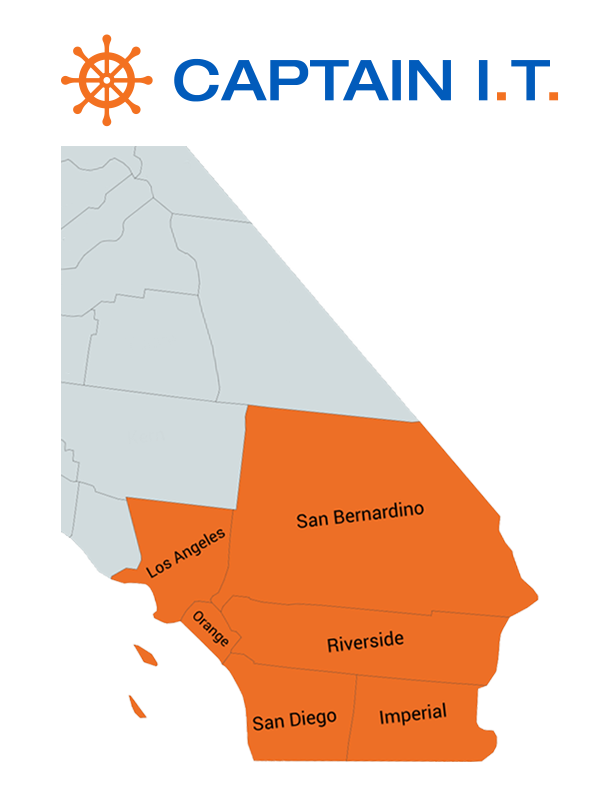
Captain IT provides remote and onsite IT support for businesses in Rancho Cucamonga and nearby Southern California communities, including Ontario, Upland, Fontana, Chino, Chino Hills, Claremont, Pomona, Rialto, San Bernardino, and Riverside. Businesses in these areas can get support for employees, devices, applications, networks, user accounts, and other workplace technology.

IT Support in Rancho Cucamonga

Find Captain IT Near Rancho Cucamonga, CA

Rancho Cucamonga is located in western San Bernardino County within Southern California’s Inland Empire, at the base of the San Gabriel Mountains. The city borders Upland, Ontario, and Fontana, with regional access via State Route 210, Interstate 15, and nearby Interstate 10. Captain IT serves businesses throughout Rancho Cucamonga, including areas around Alta Loma, Cucamonga, and Etiwanda, through remote-first IT support, with scheduled or dispatched onsite assistance available when technical problems require hands-on access to workplace devices, network equipment, hardware, or other supported business technology.

Frequently Asked Questions About IT Support in Rancho Cucamonga

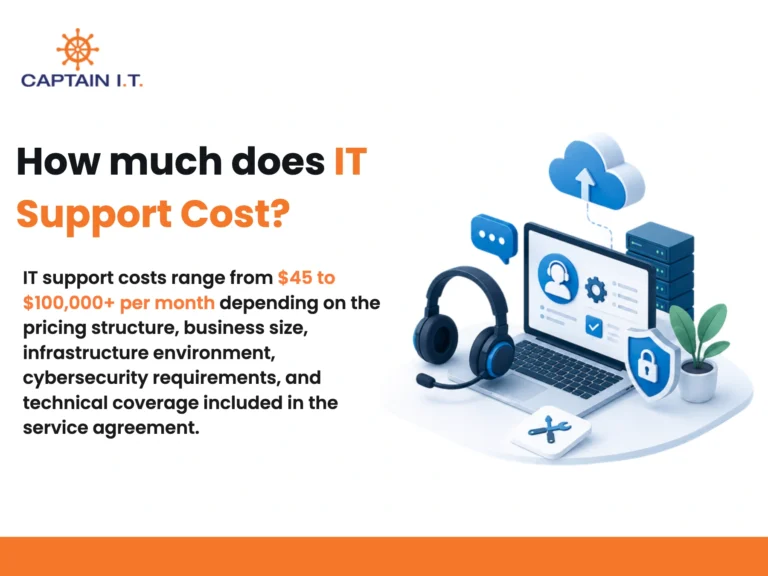
IT support in Rancho Cucamonga costs $100 to $300 per user per month for fully managed services, while pay-as-you-go break-fix support ranges from $100 to $250 per hour. Actual costs vary based on the number of users, devices, business locations, support coverage, onsite requirements, and technology environment. Captain IT uses a fixed-fee IT support model, with pricing determined by the services and support requirements included in the agreed arrangement.

Captain IT considers each IT support request based on its priority, business impact, and applicable SLA targets. Our IT support technicians work to acknowledge requests and begin assessing the issue as soon as possible, with troubleshooting guided by the circumstances. Eligible issues can move directly into remote support, while more complex problems may be escalated to the appropriate technical resource. When physical access to equipment or connections is needed, Captain IT can arrange or dispatch onsite assistance based on the support requirement.

Yes, Captain IT can work alongside an existing internal IT team through a co-managed support approach. Our IT technicians can provide additional capacity for help desk requests, troubleshooting, escalations, project-related work, or technical issues requiring additional expertise. This arrangement allows internal employees to continue managing their assigned IT responsibilities while Captain IT handles agreed support functions. The exact division of responsibilities can be established around the business’s existing staff, technology environment, workload, and ongoing technical support requirements.

Yes, Captain IT can take over IT support from another provider through a structured transition process. We review the existing technology environment, available documentation, administrative access, credentials, vendor information, support tools, and unresolved technical issues. We then establish responsibilities and support procedures before ongoing service begins. A coordinated transition helps Captain IT understand the existing environment and reduces avoidable gaps as the business moves from its previous provider to a new IT support arrangement.

Yes, Captain IT can support businesses across multiple locations through centralized IT assistance that gives employees at different sites a consistent way to request and receive technical help. Our IT technicians provide help desk and remote support for users, devices, applications, and supported systems, and coordinate onsite service when physical troubleshooting is required. We can maintain consistent ticket procedures, escalation routes, and support processes across offices. Coverage depends on each location, technology environment, onsite requirements, and the agreed service scope.

If an IT problem cannot be resolved remotely, Captain IT can escalate the issue and arrange onsite assistance when hands-on troubleshooting is required. Our IT team starts with advanced diagnostics to determine whether the problem involves hardware, physical connections, network equipment, or another component that requires direct access. Depending on the findings, next steps may include onsite troubleshooting, hardware assistance, vendor coordination, or further escalation. Follow-up support can continue until the covered issue reaches the appropriate resolution path.

No, business IT support is not the same as computer repair because it supports the broader technology environment a company relies on, not just individual computers. Computer repair generally focuses on diagnosing and fixing a specific computer or hardware problem, while business IT support covers employees, applications, user accounts, networks, servers, Microsoft 365, and connectivity. Captain IT also provides help desk support, remote and onsite troubleshooting, technical escalation, and assistance across supported workplace technology.

Related Resources for IT Support

Contact Captain IT

Call us to secure and optimize your IT infrastructure with Captain IT. Whether you need comprehensive managed IT services or robust cybersecurity solutions, our expert team is ready to ensure your business stays productive, secure, and ahead of evolving technology challenges.

Explore how Captain IT can tailor IT solutions that enhance your business’s efficiency and security.